


Zoho CRM Implementation Guide: From Process to Go-Live
By Vikas Saroj, ERP, Digital Transformation & Growth Consultant
Key takeaways
- A successful Zoho CRM implementation starts with the sales process, covering lead sources, qualification, deal stages, ownership, handoffs and reporting, before any configuration.
- Design the data model deliberately: decide whether to use the Leads module, keep five to eight deal stages with exit criteria, and use picklists for reportable values.
- In Zoho CRM, profiles control what users can do and roles control which records they see, so design the role hierarchy around record visibility rather than the org chart.
- Use the simplest Zoho CRM automation that works, from assignment and workflow rules to Blueprint, approvals and Deluge functions, and record every automation in a register.
- Define deduplication rules before importing data, import in dependency order, and watch adoption closely in the first weeks, when users decide whether the CRM is a tool or a chore.
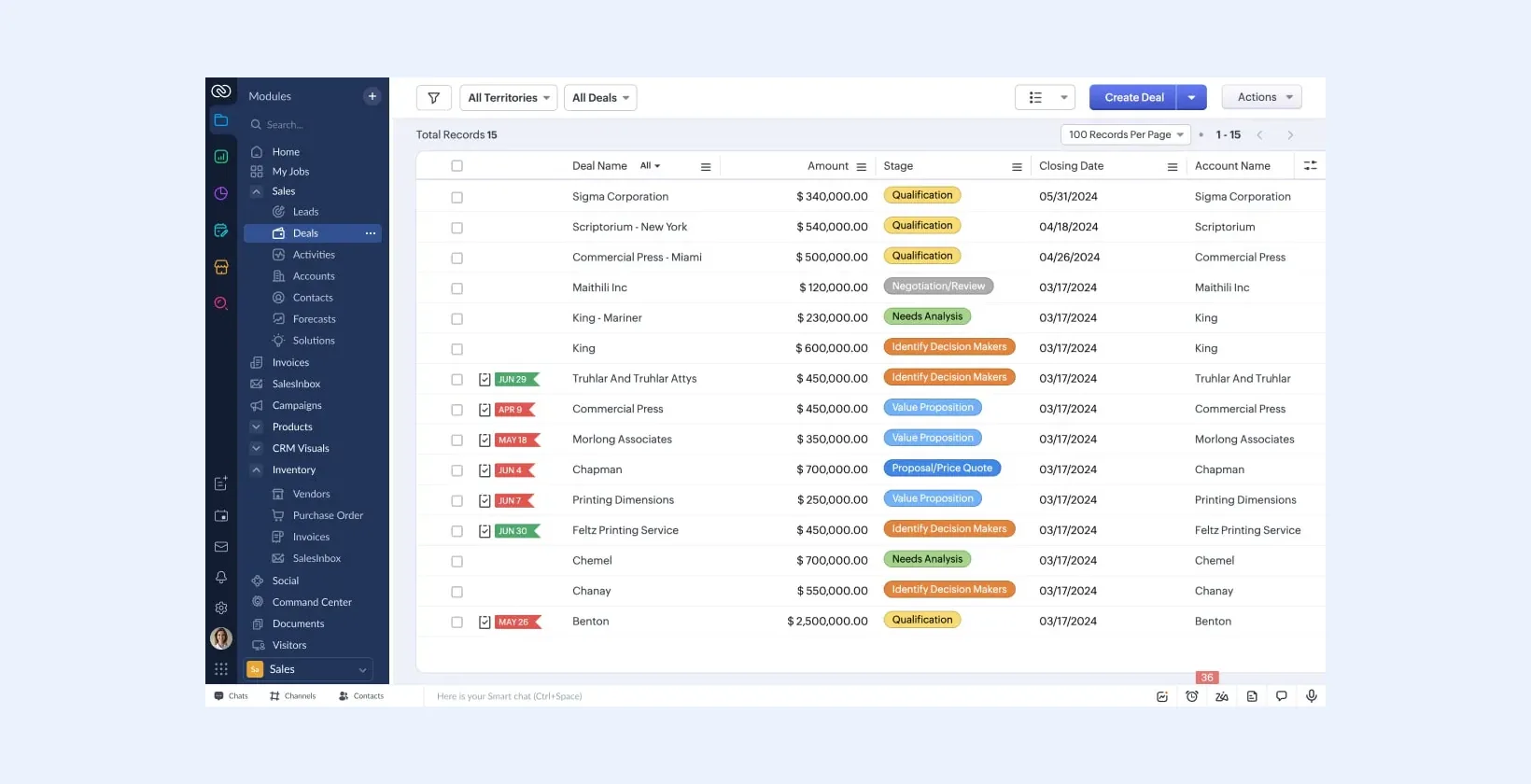
A successful Zoho CRM implementation starts with your sales process, not with the settings menu. Define how leads arrive, how deals move, who owns what, and what managers need to see, then configure Zoho CRM to match, migrate clean data, and train people on the new way of working. This guide sets out the sequence I follow and the decisions that matter most at each step.
Zoho CRM is easy to switch on and easy to configure badly. Most problems I am asked to fix come from skipped design work: too many custom fields, pipelines that do not match reality, automation nobody can explain, and data imported without deduplication.
Phase 1: Understand the sales and service process
Before touching configuration, document how revenue actually flows through the business. I run short workshops with sales, marketing, customer service and finance and capture:
- Lead sources: web forms, inbound calls, events, partners, marketplaces, paid campaigns.
- Qualification: what makes a lead worth a salesperson's time, and who decides.
- Deal stages: the real steps from first meeting to signed order, with clear exit criteria for each.
- Ownership and territories: how leads and accounts are assigned by region, product, industry or size.
- Handoffs: what happens after a deal is won, such as quoting, invoicing, onboarding or project setup.
- Reporting: the few numbers leadership reviews every week.
I map these as simple process diagrams. If you want a structured method, see my approach to business process consulting.
Phase 2: Design the data model
Zoho CRM ships with standard modules (Leads, Contacts, Accounts, Deals, Activities, Products, Quotes and more). Decide early how you will use them:
- Leads or no Leads? Some B2B businesses work straight from Contacts and Accounts and skip the Leads module. Others need Leads to separate unqualified inquiries from real customers. Choose one model and apply it everywhere.
- Accounts and contacts: agree on what counts as an account (legal entity, site, or group) and how parent-child relationships work.
- Custom modules: create these only for real business objects, such as projects, properties, contracts or service sites, not for data that belongs in a field.
- Fields: every field needs an owner and a purpose. Use picklists instead of free text wherever you will report on the value.
| Design decision | Good practice | Common mistake |
|---|---|---|
| Deal stages | Five to eight stages with written exit criteria | Stages that describe activities rather than progress |
| Fields | Picklists for reportable values; mandatory only where truly needed | Dozens of free-text fields and mandatory fields that users fill with junk |
| Layouts | Separate layouts per business unit when processes differ | One huge layout with every field for everyone |
| Pipelines | Separate pipelines for genuinely different sales motions | A new pipeline for every product line |
| Duplicates | Unique fields such as email or company registration number defined before import | Importing first and deduplicating later |
Phase 3: Security, roles and access
Zoho CRM separates what a user can do from which records they can see:
- Profiles control permissions: which modules, fields and actions a user can access.
- Roles form a hierarchy that controls record visibility. Managers see their team's records; peers may or may not see each other's.
- Data sharing settings and sharing rules open up access where the hierarchy is too strict, for example giving support staff read access to all accounts.
- Territories, available in higher editions, assign accounts and deals by geography or segment when ownership is more complex than one manager per team.
Design the role hierarchy around record visibility, not the org chart. They are often similar but rarely identical.
Phase 4: Automation and process control
Zoho CRM has several automation tools. Use the simplest one that does the job:
- Assignment rules route new leads and records to the right owner or queue.
- Workflow rules trigger field updates, emails, tasks, webhooks or functions when records are created or change.
- Blueprint enforces a guided process: which transitions are allowed, what must be filled in at each step, and who can move the record forward.
- Approval processes handle discounts, special terms or credit exceptions.
- Validation rules and layout rules keep data clean at the point of entry.
- Deluge functions cover logic the standard tools cannot, such as complex calculations or calls to external systems.
Write down every automation in a simple register: trigger, conditions, actions, owner. When something unexpected happens six months later, that register saves hours. My business process automation guide covers how to decide what to automate first.
Phase 5: Integrations
Typical Zoho CRM integrations include:
- Email and calendar (Gmail or Microsoft 365) so communication is logged against records.
- Telephony for click-to-call and call logging.
- Website forms and landing pages feeding leads with source tracking.
- Zoho Books or another accounting system for quotes, sales orders and invoices.
- Zoho Desk or another help desk so sales sees open support issues.
- Marketing tools such as Zoho Campaigns or Marketing Automation.
For each integration, decide which system owns each field and which direction data flows. Two-way sync without clear ownership is the fastest route to overwritten data. Settle this before building anything.
Phase 6: Reports and dashboards
Build reporting from the questions leadership actually asks, not from every field available. A good starting set usually includes:
- Pipeline by stage, owner and expected close month.
- New leads by source and how many were qualified.
- Deals won and lost, with structured loss reasons.
- Activity levels per salesperson, used for coaching rather than surveillance.
- Overdue tasks and deals with no recent activity.
If a report cannot be built, that usually points to a gap in the data model, such as a missing picklist or an unclear stage definition. Fix the model rather than exporting to spreadsheets. When you need reporting that combines CRM data with finance, support or operations data, Zoho Analytics or another BI tool is usually the better place for it than the CRM itself.
Phase 7: Data migration
- Extract data from spreadsheets, the old CRM, and email contact lists.
- Clean it: standardize country and phone formats, merge duplicates, remove dead records.
- Map old fields and values to the new design, including picklist values and owners.
- Import in dependency order: users, then accounts, contacts, deals, then activities and notes.
- Run a trial import into a sandbox or test account, and have sales users check their own records.
- Reconcile record counts and spot-check key accounts before the final load.
The ERP-focused version of this process is in my ERP migration checklist, and most of it applies to CRM too.
Phase 8: Testing, training and go-live
Test real scenarios end to end: a web lead arrives, gets assigned, is qualified, converted, quoted, won and handed off. Then train by role. Salespeople need to know how to work their day in the CRM; managers need dashboards and forecasting; administrators need to know how automation is built.
After go-live, hold short weekly reviews for the first month. Watch adoption signals: are activities being logged, are deals updated, are reports trusted? Fix friction quickly, because users decide in the first few weeks whether the CRM is a tool or a chore.
Common pitfalls
- Copying the old system's structure, including its problems, into Zoho CRM.
- Building automation before the process is agreed.
- Making too many fields mandatory, which encourages junk data.
- Skipping deduplication rules before import.
- No named owner for the CRM after the project ends.
Next steps
If you are planning a new Zoho CRM rollout or fixing an existing one, I can help with process design, configuration, automation and data migration. See my CRM consulting and Zoho consulting services, or get in touch to discuss your project.
Frequently Asked Questions
How long does a Zoho CRM implementation take?
It depends on the number of teams, the complexity of the sales process, the volume and quality of data to migrate, and the integrations required. A single team with clean data moves much faster than a multi-region rollout with several integrations.
Should we use the Leads module in Zoho CRM?
Use Leads if you need to separate unqualified inquiries from known customers and measure conversion. Many B2B companies with account-based selling work directly from Accounts and Contacts instead. Pick one model and apply it consistently.
What is Blueprint in Zoho CRM?
Blueprint is Zoho CRM's guided process tool. It defines the allowed transitions between stages, who can perform them, and what information must be captured at each step, so a process is followed consistently.
Can Zoho CRM integrate with non-Zoho systems?
Yes. Zoho CRM offers a REST API, webhooks, Deluge functions and marketplace extensions, and Zoho Flow can connect it to many third-party applications without custom code.

Written by Vikas Saroj
Independent ERP, digital transformation & growth consultant helping businesses map processes, implement Zoho, Odoo and ERPNext, automate operations and grow online. · LinkedIn
 Insights


